


LoRaWAN Class A, B and C Explained: Which Device Class Do You Need?
TL;DR: LoRaWAN has three device classes that set when a device listens for messages from the network. Class A, which every device must support, opens two short receive windows after each uplink, so it uses the least power and has the highest downlink delay. Class B adds scheduled ping slots aligned to network beacons, a middle ground. Class C keeps the receiver open almost all the time, so commands arrive at once but the device normally needs mains power. Battery sensors use Class A, and switches, sockets and alarms use Class C.
Last updated: 23 October 2026
On this page
Key takeaways
- LoRaWAN has three device classes, A, B and C, which differ in when the device listens for downlink messages from the network.
- Every LoRaWAN end device must implement Class A. Classes B and C extend Class A, and a B or C device can also operate in Class A mode.
- Class A opens two short receive windows after each uplink, so it has the lowest power use and the highest downlink latency. Most battery sensors are Class A.
- Class B adds scheduled receive windows called ping slots, synchronised by beacons from the gateways, which gives lower latency than Class A at a higher battery cost.
- Class C keeps its receive window open except when transmitting, which gives the lowest latency and the highest power use, so it is usually mains powered.
- To update firmware over the air, a device has to be switched to Class B or Class C.

A water valve sits on a battery and reports once an hour. Someone presses a button on a dashboard to close it. Nothing happens for almost an hour. The valve is working perfectly. It is simply not listening, because it is a Class A device and the network cannot speak to it until it next calls in.
That one fact explains most questions about LoRaWAN device classes. This guide explains how Class A, B and C work, what each costs in battery and delay, which devices use which, what the classes do to your gateways, and how to choose for sensors, valves, switches and alarms. It uses The Things Network’s documentation of the specification, which the LoRa Alliance maintains, and the datasheets for Milesight devices.
What are LoRaWAN device classes?
LoRaWAN device classes define when an end device opens its receiver to listen for downlink messages. All three classes can send uplinks at any time, and the difference is how and when the network can send something back. Class A is the baseline that every device must implement, and Class B and Class C add extra listening on top.
According to The Things Network documentation on device classes, all LoRaWAN end devices must implement Class A, Classes B and C extend it, all three support bidirectional communication, and Classes B and C can also operate in Class A mode. The class is therefore a choice about power and response time, not about whether the device can send data.
The reason it matters is that LoRaWAN radios are designed to sleep. Listening costs battery, so a device that listens more, responds faster and lasts less long. The classes are three points on that curve.
How does Class A work?
A Class A device sends an uplink whenever it likes, then opens two short receive windows, called RX1 and RX2, after a delay from the end of the uplink. The network can use one of the windows to send a downlink. If it does not, the next downlink has to wait for the next uplink, so Class A has the lowest power and the highest latency.
The documentation notes that the network uses RX1 or RX2 for a downlink, not both, and that Class A suits applications such as environmental monitoring, animal tracking, water leakage detection, smart parking, asset tracking and waste management. These are devices that send readings and rarely need commands.

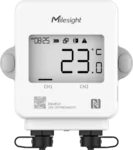
In practice, almost every battery sensor is Class A. The Milesight WS202 and EM300 sensors, the VS321 and VS340 occupancy sensors, the EM500-UDL level sensor and most others list OTAA and ABP Class A in their datasheets. Because they sleep between uplinks, they can run for years on a battery, as our guide to LoRaWAN battery life explains.
How does Class B work?
A Class B device does everything Class A does, and also opens scheduled receive windows called ping slots. The network sends time-synchronised beacons through the gateways, and the device uses them to align its clock and open its ping slots at known times, so the network can send a downlink to one device or a group without waiting for an uplink.
According to The Things Network, Class B has lower downlink latency than Class A but higher than Class C, and a shorter battery life than Class A because the device spends more time active. After an uplink, RX1 and RX2 open as in Class A as well. The documentation gives utility meters and street lights as examples.
Class B suits a battery device that needs to be commanded within a known time but not instantly. The trade-off is complexity: the gateways must send beacons, the device must keep time, and not every device or network server supports it.
How does Class C work?
A Class C device keeps its receive window open except when it is transmitting. After an uplink it opens a short RX2, then a short RX1, then a continuous RX2 that stays open until the next uplink, so the network can send a downlink at almost any time. That gives the lowest latency and the highest power use, which is why Class C devices are usually mains powered.
The Things Network gives utility meters, street lights, beacon lights and alarms as examples. In general, if the device switches something on or off, or raises an immediate alarm, and has a power supply, Class C is the natural choice. A command to a Class C socket or switch arrives in moments, not at the next report.
How do LoRaWAN device classes compare?
Class A has the lowest power and the highest delay, Class C the highest power and the lowest delay, and Class B sits between. The classes also differ in how the device is powered and in which gateways and networks can serve them best.

| Class | Listens | Downlink delay | Power | Typical supply |
|---|---|---|---|---|
| A | Two short windows after each uplink | Highest | Lowest | Battery |
| B | Class A windows plus scheduled ping slots | Middle | Middle | Often battery |
| C | Almost always, except when transmitting | Lowest | Highest | Often mains |
Which devices use which class?
Battery sensors are Class A, mains-powered switches and sockets are Class C, and battery valves and thermostats that need commands sit in Class B or in Class A or C depending on the model. The details are in each datasheet, and it is worth checking the class before you buy.
- Class A: the Milesight WS202 room sensor, the EM300 series, the VS321 and VS340 occupancy sensors, and the UC502 controller. The UC502 is Class A only, so it cannot hold a receive window open for on-demand control.
- Class B: the UC512 valve controller, which runs on three replaceable 9,000 mAh cells and stops at Class B, and the WT102 thermostat, which adds Class B operation.
- Class C: the WS513 wall socket, the WS523 smart socket and the WS558 lighting controller, which are mains powered, the UC511 solar valve controller, the VS121 occupancy sensor on a 5 V supply, and the GS601 vape detector, which listens continuously for an immediate alarm.
- Either A or C: the UC501 controller supports Class A and Class C, so it can be battery or solar powered and still take commands when needed.
For more detail, see our guides to the Milesight UC502, the WS523 smart socket, the WS558 lighting controller and the IoT controller.

What do device classes do to your gateways?
Classes B and C put more load on the gateway, because it has to send downlinks more often and at specific times. A gateway that cannot receive while it transmits, called half duplex, loses listening time whenever it sends a downlink, so a network with many Class C devices or large firmware updates can cost receive capacity.
Our guide to the Milesight UG56 notes this: a half-duplex gateway cannot listen while it transmits, so heavy downlink traffic costs receive time, and for large Class C fleets that receive frequent commands, full-duplex gateways keep listening while they send. For sensor networks that mostly send uplinks, half duplex is fine.
Downlinks also count against the duty cycle rules for the radio band. Our guide to LoRaWAN duty cycle limits explains how, and LoRaWAN gateway capacity shows how many devices a gateway can serve. The Milesight UG65 and UG67 gateways list Class A, B and C support in their datasheets, so a mixed network is possible on one gateway.
Does the device class affect battery life?
Yes, more than almost anything else. A Class A device sleeps except when sending and during two short windows, so it can last years. A Class B device wakes for beacons and ping slots, which shortens that. A Class C device never sleeps its receiver, so on a battery it would last days or weeks and is normally mains powered.
The practical rule is to choose the lowest class that does the job. If a battery sensor only reports, Class A is right. If it must take commands, ask how fast, and consider a Class B model or a mains-powered Class C one. Do not choose Class C for a battery device without checking the datasheet for how it is powered, because a device that supports Class C may only do so on external power.
Which class do firmware updates need?
Firmware updates over the air need the device to be switched to Class B or Class C. According to The Things Network, during over-the-air firmware updates the device must be switched to Class B or C, because a Class A device cannot receive the stream of downlink messages the update needs at the time the network sends them.
That is a planning point for large fleets. If you intend to update devices remotely, check that they support the update protocol and the class switch, and expect the gateways to carry more downlink traffic during the update. For battery devices the update window is a cost in battery life, so schedule it deliberately.
How do you choose a LoRaWAN device class?
Start from what the device does, then from how it is powered. If it reports readings, Class A. If it switches or alarms and has power, Class C. If it is on a battery and needs commands, Class B or a model that offers it. Then check the gateway and the network server support the class.
- What does the device do? Reports readings, takes commands or raises alarms.
- How fast must it respond? Hours, minutes or seconds.
- How is it powered? Battery, solar or mains.
- How many devices will be commanded? Large Class C fleets affect gateway choice.
- Do you need remote firmware updates? If so, plan for Class B or C.
- Does your network server support the class? Check before you order.
How do you check which class a device uses?
Read the datasheet, the product page and the network server’s device profile, and make sure all three agree. The datasheet lists the classes the hardware supports, often as OTAA and ABP followed by the class. The device profile on the network server decides which class the device is actually run in, so a Class C capable socket can be set up as Class A by mistake.
If a command to a device seems slow, look at the class first. A device that reports every 30 minutes in Class A will take up to 30 minutes to act on a command. Switching the profile to Class C, if the hardware and its power supply allow, removes the wait. If the class is right but the response is still slow, look at the gateway, the duty cycle and the network server queue.
What mistakes do people make with LoRaWAN classes?
Four mistakes cause most of the confusion.
- Buying a Class A device for control. A battery valve or thermostat that is Class A only will not respond to a dashboard button for a while. Check that the model offers Class B or C if you need quick commands.
- Running a battery device in Class C. A device that supports Class C on external power can drain a battery in days if it is switched to Class C on battery. Follow the datasheet.
- Forgetting the gateway. Many Class C devices and large updates load the gateway, and a half-duplex gateway loses listening time while it transmits.
- Ignoring the duty cycle. Every downlink uses airtime, so a command to a hundred devices in a minute can run into the limits for the band.
Planning the class for each device before the build avoids all four.
Frequently asked questions
What are LoRaWAN Class A, B and C?
They are device classes that define when a device listens for messages from the network. Class A opens two short windows after each uplink, Class B adds scheduled ping slots, and Class C listens almost continuously.
What is the difference between Class A and Class C?
Class A has the lowest power use and the highest downlink delay, because the device only listens briefly after sending. Class C has the lowest delay and the highest power use, because the receiver is open almost all the time, so it is usually mains powered.
Which LoRaWAN class do battery sensors use?
Class A. Battery sensors send readings and sleep, which is what lets them run for years. Their datasheets list OTAA and ABP Class A.
Can a Class A device receive commands?
Only after it sends an uplink, in the two short windows that follow. A command sent at any other time waits until the next uplink, so the delay can be as long as the reporting interval.
Do I need Class C for a smart socket or switch?
Yes. A mains-powered socket or switch is normally Class C, so it listens continuously and acts on a command almost immediately. The Milesight WS513, WS523 and WS558 are Class C.
Do firmware updates over the air need Class B or C?
Yes. According to The Things Network, a device must be switched to Class B or C during an over-the-air firmware update.
Where to go next
If you are choosing devices for a project, read the class on each datasheet, then check the gateway and network server. Send us what each device has to do through the quote form and we will suggest models, classes and a gateway.
Next step
Get a priced kit list for your site
Answer three quick questions and tell us where to send it. An engineer replies within one working day with the parts, the prices and the lead time.
Rather talk it through? Call 023 9223 3611
Received. An engineer has it.
You will hear back within one working day with the parts, the prices and the lead time. A confirmation is on its way to your inbox.
If it is urgent, call 023 9223 3611.