LoRaWAN Site Survey: How to Prove Coverage Before You Buy, With the Milesight FT101
TL;DR: A LoRaWAN site survey measures the radio link between a gateway and every place a sensor will go, before the sensors are bought and fitted. You put a gateway where it will live, walk the site with a field tester such as the Milesight FT101, and record signal strength, signal to noise ratio and packet loss at each point. Weak spots do not only risk lost readings: a sensor that has to use a slower spreading factor can lose most of its battery life.
Last updated: 14 September 2026
On this page
Key takeaways
- A LoRaWAN site survey measures the real link from each planned sensor position to a gateway, instead of guessing from a range figure on a datasheet.
- The two numbers that matter are RSSI, the received signal strength, and SNR, how far the signal sits above or below the noise.
- LoRa can still decode signals 7.5 dB to 20 dB below the noise floor, depending on the spreading factor, according to The Things Network.
- Weak coverage is expensive twice: lost readings, and batteries. Milesight rates the TS201 at around 8 to 9 years at SF7 but 2.7 to 2.8 years at SF10.
- The Milesight FT101 field tester logs RSSI, SNR and packet loss with GPS position at every point you test, on an Android handset with a LoRaWAN radio.
What is a LoRaWAN site survey?
A LoRaWAN site survey is a walk of the site with a test device that behaves like a sensor, recording how well it reaches the gateway from every point where a real sensor will be fitted. It turns coverage from an assumption into a set of measurements you can plan gateway numbers and positions around.
Datasheet ranges are measured in open air. The UG56 gateway, for example, is quoted at 15 km line of sight but about 2 km in an urban environment, and neither figure describes a basement plant room behind two concrete floors and a steel door. A site survey is the only way to know what your building does to the signal.
A site survey is also the cheapest stage to find a problem. Moving a gateway or adding a second one costs little before installation, and a great deal after fifty sensors have been fixed to walls on the assumption that one gateway would do.

What do RSSI and SNR actually tell you?
RSSI tells you how strong the received signal is, in dBm, where values closer to zero are stronger. SNR tells you how the signal compares with the background noise, in dB. For LoRa, SNR matters more than people expect, because LoRa is designed to decode signals that sit below the noise floor.
The Things Network’s explanation of RSSI and SNR puts the limit at between 7.5 dB and 20 dB below the noise floor, depending on the spreading factor. A reading with plenty of margin above that limit is a reliable link. A reading close to it is a link that will fail when a door closes, a rack fills with stock or it rains.
The spreading factor sets that limit. The Things Network’s page on spreading factors lists receiver sensitivity at 125 kHz as -123 dBm at SF7, falling in steps to -137 dBm at SF12. Higher spreading factors reach further by sending more slowly, which is exactly why they cost battery.
| Spreading factor | Receiver sensitivity at 125 kHz |
|---|---|
| SF7 | -123 dBm |
| SF8 | -126 dBm |
| SF9 | -129 dBm |
| SF10 | -132 dBm |
| SF11 | -134.5 dBm |
| SF12 | -137 dBm |

Why does weak coverage drain batteries?
A sensor with a weak link has to transmit at a higher spreading factor, which keeps its radio on for longer for every reading. Over years, that airtime is the difference between replacing batteries once in a decade and replacing them every couple of years.
Milesight’s own datasheets show the effect clearly. The figures below are all at a 10 minute reporting interval and 25°C, taken from the spec tables on our product pages.
| Sensor | Battery life, strong signal | Battery life, weak signal |
|---|---|---|
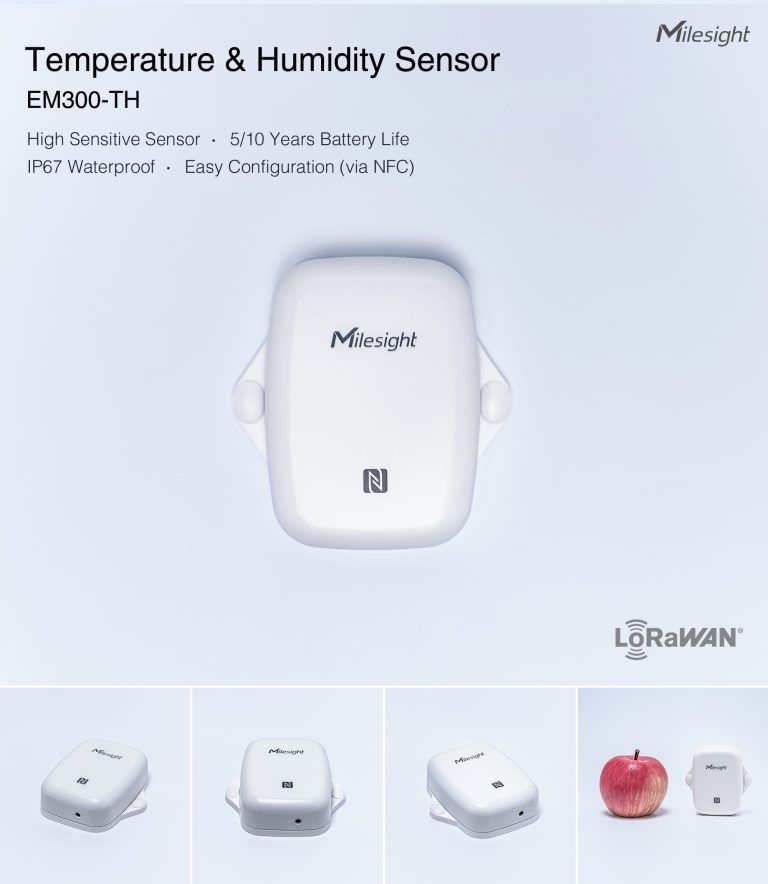
| EM300-TH temperature and humidity | Over 10 years at SF7 | Around 5.8 years at SF10 |
| TS201 temperature probe | Around 8.2 to 9 years at SF7 | Around 2.7 to 2.8 years at SF10 |
| AM103 CO2 sensor | Around 4.5 years at SF7 | Around 3 years at SF10 |
So a site survey is not only about whether data arrives. A TS201 fitted at the edge of coverage can lose about two thirds of its battery life. Across a hundred sensors, that is a maintenance programme you did not budget for, caused by a gateway in the wrong place. Our post on LoRaWAN duty cycle limits explains the airtime rules that make slow data rates doubly costly in the UK.

What does the Milesight FT101 do?
The Milesight FT101 is a LoRaWAN field tester: an Android 12 handset with a LoRaWAN radio, a 5.72 inch touch screen and GPS, built to measure the link to a gateway at any point you stand. It shows RSSI, SNR and packet loss, records the position of each test, and lets you change the spreading factor, channel and transmit power.
The FT101 product page lists its test functions, including signal quality testing across spreading factors, a noise scan across channels, a ping-pong test that exchanges packets with the network before deployment, and report export over USB-C. Its radio receives down to -137 dBm at SF12 and transmits at up to 16 dBm on 868 MHz, and the battery lasts around 8 hours of active testing.
That combination is what makes it a proper site survey tool. Every reading carries a location and the settings used, so the survey becomes a record you can put in front of a client or an installer rather than a memory of walking round with a phone.
How do you run a LoRaWAN site survey?
Run the site survey in six steps, and do it with the gateway already in its intended position. The FT101 measures the link to a gateway, so testing without one tells you nothing.
- Put the gateway where it will live. Mount it, even temporarily, at the planned height and position, powered and connected. High and central beats convenient.
- Set the FT101 to match your sensors. Use the EU868 plan, and fix the spreading factor at the one your sensors should achieve, usually SF7 to SF9, rather than letting adaptive data rate hide weak spots.
- List every planned sensor point. Work from the floor plan: each room, each riser, each cold store and plant room, and the furthest corner of the site.
- Test at each point, with the building as it really is. Doors closed, cabinets shut, lifts parked, racking full. Record RSSI, SNR and packet loss at every point.
- Retest the failures. Try a higher spreading factor to see whether a point is reachable at all, then decide whether to move the gateway, add one, or move the sensor.
- Export and keep the report. It is the evidence for the gateway plan, and the baseline if coverage changes later.

What are the limits of a field tester?
A field tester measures one moment, from one position, with one antenna, so every site survey has limits. Read its results with that in mind and leave a sensible margin rather than treating a marginal pass as a pass.
- It is a snapshot. A warehouse surveyed empty behaves differently when full, and a plant room surveyed on a dry day differs in rain. Survey in realistic conditions and keep margin.
- Its antenna is not your sensor’s antenna. The FT101 has an external SMA antenna, while most battery sensors use a small internal one. A point that only just passes on the FT101 may fail with the real sensor.
- It needs a gateway in range. It tests the link to a gateway, so the gateway has to be installed and working first.
- It is rated from -10°C to 50°C. Surveying a freezer means testing from the door or keeping the tester outside between readings.
- It is not a spectrum analyser. The noise scan shows noise on the LoRaWAN channels, which is enough for most sites, but it will not identify an interfering transmitter.
How much does a site survey cost?
Doing it yourself costs the price of the tester and an afternoon. The FT101 is listed at £441.42 ex VAT on Indiott, typically dispatched within 14 working days, and it is reused on every site after the first. For a single building, that is usually less than the cost of one wasted gateway or one return visit to move sensors.
If you are planning a first project, our LoRaWAN pilot kit includes the FT101 with a UG65 gateway and ten sensors, so the pilot and the site survey happen together. For choosing the gateway itself, see which LoRaWAN gateway you need.
Frequently asked questions
What is a good RSSI for LoRaWAN?
There is no single number, because what matters is how far the signal sits above the decoding limit for its spreading factor. The Things Network puts that limit between 7.5 dB and 20 dB below the noise floor. Aim for comfortable margin at the spreading factor your sensors will use.
Do I need a site survey for one building?
For a small office with the gateway in the middle, a site survey is often unnecessary. For basements, plant rooms, steel-framed buildings, cold stores or several buildings, yes: those are the places where one gateway rarely covers everything.
Can I use a normal sensor instead of a field tester?
You can place a sensor and read its RSSI and SNR from the gateway, one point at a time. A field tester is faster, records position with each reading, and lets you change the spreading factor on the spot.
Does the FT101 work with any LoRaWAN gateway?
Milesight describes it as working with standard LoRaWAN gateways. It joins over OTAA as a Class A device on LoRaWAN 1.0.3, like a sensor would.
How long does a site survey take?
A site survey of a typical single building takes an afternoon: an hour to place the gateway, a few minutes per test point, and time to retest the failures.
Survey first, then buy
A site survey is the step that turns a LoRaWAN project from a range estimate into a measured plan. It tells you how many gateways you need, where they go, and which sensor positions will quietly eat their batteries.
See the FT101 field tester for live pricing, or read how to run an IoT pilot that turns into a rollout. If you would rather we looked at the floor plan first, send it over and an engineer will reply within one working day.
Next step
Get a priced kit list for your site
Answer three quick questions and tell us where to send it. An engineer replies within one working day with the parts, the prices and the lead time.
Rather talk it through? Call 023 9223 3611
Received. An engineer has it.
You will hear back within one working day with the parts, the prices and the lead time. A confirmation is on its way to your inbox.
If it is urgent, call 023 9223 3611.