Milesight WS101: the LoRaWAN® smart button for instant actions, scenes and SOS
Milesight WS101: the LoRaWAN® smart button for instant actions, scenes and SOS
Need a simple way to trigger lighting scenes, call for assistance or kick off automations without touching the BMS? The Milesight WS101 is a compact, battery-powered LoRaWAN® smart button with single, double and long-press actions. Stick it on a wall, keep it on a lanyard, or mount it by a doorway — it’s ready for wireless control, triggers and alarms across offices, schools, hotels and industrial sites. Indiottresource.milesight.com
Why facilities & IoT teams choose WS101
-
Multiple press actions: single, double or long press — map each to a scene, device or alert. Built-in LED & buzzer confirm the press. resource.milesight.com
-
Ultra-low-latency local control: Milesight D2D lets the button talk directly to compatible Milesight devices (no gateway hop) for instant response. resource.milesight.com+1
-
Long-range, robust radio: LoRaWAN® Class A with up to 15 km line-of-sight range; EU868 profile for the UK. resource.milesight.com+1
-
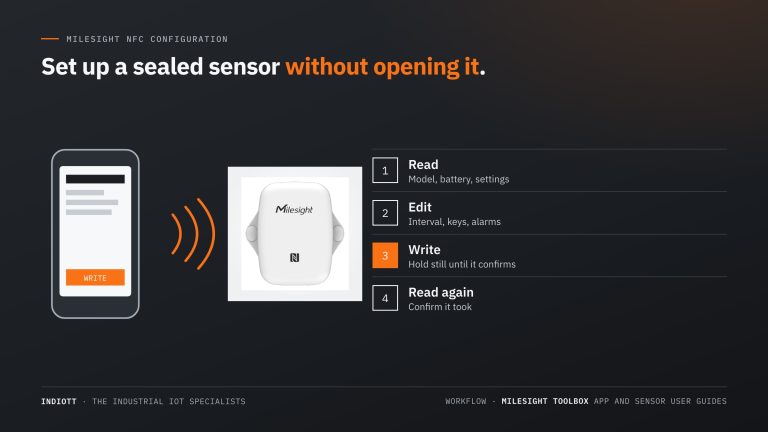
Tap-to-configure: NFC via Milesight ToolBox (iOS/Android) makes setup and cloning fast, ideal for bulk rollouts. resource.milesight.com
-
Serious battery life: 1× 1650 mAh Li-SOCl₂ cell; typical life ~7–9.5 years depending on data rate and usage. resource.milesight.com
Buy in the UK: Order the WS101 Smart Button from INDIOTT — see live pricing on our product page. Indiott
Key specifications at a glance
-
Press actions: single, double, long press
-
Indicators: LED status + buzzer feedback
-
Radio: LoRaWAN® Class A (OTAA/ABP), Milesight D2D; internal antenna; up to 15 km LOS
-
Battery: 1× ER14335 1650 mAh Li-SOCl₂; approx. 9.5 yrs (SF7 EU868) / 7.7 yrs (SF10 EU868) at 1080-min interval & 10 presses/day
-
Enclosure: 50 × 50 × 18 mm, 38.8 g, IP30, anti-flaming PC; white (scene) or red (SOS) button
-
Mounting: screws, 3M tape, or lanyard
(See the datasheet/user guide for full details.) resource.milesight.com+1
Best-fit UK applications (and how to deploy fast)
1) One-touch lighting & scene control
Assign single press to “On”, double press to “Off”, and long press to “After-hours.” With D2D, the WS101 can switch compatible Milesight relays/switches instantly — no round trip to the server. resource.milesight.com
2) Help/SOS buttons for reception, classrooms & lone workers
Use the red SOS variant to raise an alarm to your platform or to flash nearby lights via D2D as a local cue, while also sending a LoRaWAN® uplink for audit trails. resource.milesight.com+1
3) Service & cleaning requests
Place WS101 in meeting rooms: a press notifies FM to reset the room; a long press reports a fault. Battery life and NFC templating make scale easy. resource.milesight.com
Quick deployment checklist
-
Join method: Use OTAA on your EU868 LoRaWAN® network. resource.milesight.com
-
Configure in seconds: Use the Milesight ToolBox app (NFC) to set button actions, D2D key, and reporting interval; clone with templates. resource.milesight.com
-
D2D for zero-lag: Enable Milesight D2D and pair with compatible Milesight agents (switches/relays/panels). resource.milesight.com
-
Mounting: Stick with 3M tape or screw to a flat surface; or use the lanyard for portable use. resource.milesight.com
-
Battery budget: Expect multi-year life; heavier use or higher spreading factors reduce it — plan maintenance accordingly. resource.milesight.com
Frequently asked questions
What press types does it support?
Single, double and long press; each can trigger different actions, scenes or alerts. resource.milesight.com
Does it work without a gateway?
For local instant control, yes — via Milesight D2D to compatible devices. For cloud/app visibility, also send a LoRaWAN® uplink. resource.milesight.com
How big is it?
50 × 50 × 18 mm, 38.8 g — pocketable and easy to mount. resource.milesight.com
Next step
Get a priced kit list for your site
Answer three quick questions and tell us where to send it. An engineer replies within one working day with the parts, the prices and the lead time.
Rather talk it through? Call 023 9223 3611
Received. An engineer has it.
You will hear back within one working day with the parts, the prices and the lead time. A confirmation is on its way to your inbox.
If it is urgent, call 023 9223 3611.