





Grafana Dashboard for LoRaWAN Sensors: From Gateway to Live Alerts
TL;DR: A Grafana dashboard for LoRaWAN sensors needs four pieces after the gateway. A network server decodes the radio messages, an MQTT broker carries them, Telegraf subscribes to the MQTT topics and writes to InfluxDB, and Grafana reads InfluxDB, which it supports out of the box. A Milesight UG65 gateway has a built-in network server rated for around 2000 devices, MQTT and Node-RED, so a small site can start with one gateway. Alert on silence as well as on values, because Grafana’s No Data state catches a sensor that has stopped reporting.
Last updated: 22 October 2026
On this page
Key takeaways
- A Grafana dashboard does not read LoRaWAN radio messages. It reads a database, so the work is getting decoded sensor values into one.
- The usual path is gateway, network server, MQTT, Telegraf, InfluxDB and Grafana. ChirpStack publishes uplinks as JSON over MQTT on topics that start application/APPLICATION_ID/device/DEV_EUI/event.
- A Milesight UG65 has a built-in network server for around 2000 devices at a 10-minute uplink interval, MQTT(s) and HTTP(s) forwarding, and Node-RED. The smaller UG63 has an embedded server for a maximum of 20 devices.
- Telegraf’s MQTT consumer subscribes to topics with the plus and hash wildcards, and Grafana ships with the InfluxDB data source already installed.
- Choose panels by the question they answer. A stat or gauge for now, a time series for what happened, a state timeline for doors, and a table for which sensor is quiet.
- Alert on silence. Grafana’s No Data state can fire when a query returns no data points, which is what a dead battery looks like from the dashboard.

A site has forty sensors on temperature, doors and air quality. The vendor portal shows each one if you click through, but nobody on the team wants a login for every device. They want one screen that says whether the cold rooms are fine, and a message when they are not.
This guide is for engineers and facilities teams who want to build that screen with Grafana. It explains the data path from a LoRaWAN sensor to a Grafana dashboard, three ways to build it, how to decode the payloads, how MQTT topics are laid out, which panels answer which questions, and how to alert when a sensor goes silent. The product facts come from Milesight’s datasheets and the software facts come from the ChirpStack, Telegraf and Grafana documentation.
What is a Grafana dashboard for LoRaWAN data?
A Grafana dashboard for LoRaWAN data is a set of live charts, numbers and tables drawn from sensor readings that have been stored in a database. Grafana does not talk to the sensors or the gateway. It queries a data source, and your job is to put decoded readings there.
That division is a strength. Because Grafana reads from a database, the same dashboard can combine LoRaWAN temperature sensors with a Modbus meter or a cellular router, and alerts can use any of them. It is also why a dashboard that looks empty is almost always a problem upstream, in decoding or in the broker, and not in Grafana.
Grafana documents InfluxDB as an open-source time series database built for operations monitoring, application metrics and IoT sensor data, and it ships the InfluxDB data source out of the box in both the open-source and Enterprise editions. That makes InfluxDB the simplest first choice for sensor data, and the rest of this guide uses it.
How does a LoRaWAN reading reach Grafana?
A reading travels through six hops. The sensor transmits to a gateway by radio, the gateway forwards it to a network server, the server decodes it into named values, an MQTT broker publishes it, Telegraf subscribes and writes it to InfluxDB, and Grafana queries InfluxDB. Each hop has one job.
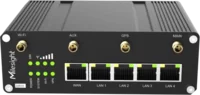
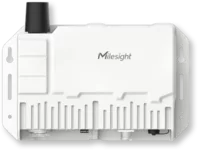
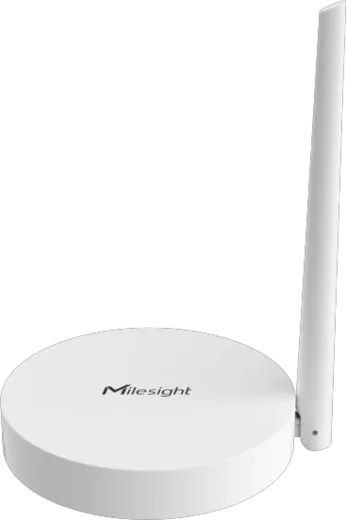
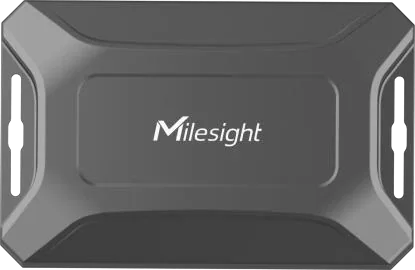
Two of those hops can live in the same box. A Milesight UG65 includes an embedded network server and forwards data over MQTT(s) or HTTP(s) according to its datasheet, so the gateway and the server are one device. With ChirpStack the network server is separate, usually on a small server on your network or in the cloud.
If you are still deciding which network server to use, our LoRaWAN network server comparison covers the options. If you already have a gateway and want to point it at ChirpStack, our Milesight and ChirpStack guide covers the gateway settings.
Which route should you choose?
Choose the gateway’s built-in server for one site and a modest number of sensors, and choose an external server such as ChirpStack when you have several gateways, more sensors or a need to keep the keys on your own server. Both feed the same MQTT, Telegraf and InfluxDB path.
| Question | Route A: UG65 built-in server | Route B: external ChirpStack |
|---|---|---|
| Where the network server runs | In the gateway | On a server you run |
| Device capacity in the datasheet | Around 2000 devices at a 10-minute uplink interval | Depends on your server |
| Payload decoding | Inbuilt Milesight codec library, custom codec supported | Codec per device profile, Milesight decoders available |
| Data out | MQTT(s) and HTTP(s) | MQTT as JSON |
| Extra tools | Node-RED and Python SDK on the gateway | Your own server software |
| Best for | One site, quick start | Several gateways, central control |
| Gateway price ex VAT at Indiott | UG65 £279.82 | Any gateway that forwards to ChirpStack |
The smaller Milesight UG63 also has an embedded network server, but the datasheet limits it to a maximum of 20 devices, so it suits a pilot, not a site with forty sensors. Our LoRaWAN gateway capacity guide explains why the airtime limit matters as much as the device count.
The product pages are the Milesight UG65 and the Milesight UG63, and the Milesight LoRaWAN gateway buyer’s guide helps you choose between them.

How do you decode the sensor payloads?
LoRaWAN sensors send compact binary payloads, so something has to turn them into named values such as temperature and humidity before they reach the database. The network server does this with a payload codec. Milesight provides codecs for its sensors, and the UG65 includes a library of them.
The UG65 datasheet lists an inbuilt Milesight device codec library and support for a custom codec. For other servers, Milesight publishes a public repository of payload codecs called SensorDecoders. Its README lists support for The Things Network, ChirpStack v3 and v4, and the Milesight Network Server, with folders for the AM, CT, EM, TS, UC, VS, WS and WT series among others. The repository carries the GPL-3.0 licence, so check the terms before you copy code into a product.
Decode early. If the server decodes the payload, the MQTT message carries named values and everything downstream stays simple. If you decode later, in Telegraf or Node-RED, you carry the codec in more than one place, and a firmware change breaks several things at once.
What does the MQTT topic look like?
In ChirpStack every event is published to a topic in a fixed pattern. The default event topic is application/APPLICATION_ID/device/DEV_EUI/event/EVENT, and the uplink events are the ones you want. A subscription to application/APPLICATION_ID/device/+/event/up shows only the uplinks for one application.
Three facts from the ChirpStack documentation save time. The integration publishes all the data it receives from devices as JSON. The application ID is not the same as the JoinEUI, and you can find it in the web interface or through the API. And MQTT topics are case-sensitive, so a topic that looks right but uses the wrong case receives nothing. The documentation suggests mosquitto_sub, part of the Mosquitto broker, for debugging, and it is the quickest way to see whether decoded values arrive. Our MQTT guide explains publishers, subscribers and topics from the beginning.
If the topic carries data you do not want, filter at the source. Subscribe to the uplink topic only, and leave the other event types out of the database until you have a use for them.
How does Telegraf write the data to InfluxDB?
Telegraf is a collection agent with an MQTT consumer input plugin. It subscribes to the topics you list, converts each message using a data format such as JSON, and writes the result to InfluxDB through an output plugin. You configure it once, and it keeps running.
The plugin documentation shows the settings that matter. The topics list accepts the plus wildcard for one level and the hash wildcard for everything below, as in its examples telegraf/+/mem and sensors/#. The topic can be stored as a tag, which lets you keep the device identifier with each reading. The quality of service setting runs from 0 to 2, and the README says that with a level of 1 or 2 you should enable persistent session so that unacknowledged messages resume after a restart.
Two choices make the data easier to chart. Store the device name, or a friendly label, as a tag so that panels can group by room or location. And keep each measurement as its own field, such as temperature, humidity or battery, so that a query can ask for one without parsing.
Which panels should the dashboard have?
Choose each panel by the question it answers. Grafana lists a stat for one large value with an optional sparkline, a gauge for how far a value is from a threshold, a time series as its default and main graph, a state timeline for state changes over time, and a table for lists.
For a cold room or plant room, a sensible first screen has five panels.
- A stat for the current temperature of each room, coloured by threshold. It answers whether it is fine right now.
- A time series of the last 24 hours with a line at the limit. It answers what happened overnight.
- A state timeline for the door sensor. It answers whether the temperature rise matches a door left open.
- A table of every sensor with its last reading and the time of the last message. It answers which sensor has gone quiet.
- A bar gauge of battery levels, if your payloads include them. It answers which sensors need attention next.
Grafana’s documentation notes that alerts are supported in the time series panel, so the chart you watch and the rule that warns you can use the same query. Keep the first dashboard small. A screen that fits on one monitor gets looked at, and a screen that needs scrolling does not.

How do you alert when a sensor goes silent?
Create an alert rule on the query that reads the sensor, and set the No Data handling so that an empty result raises an alert. A battery that has died, a gateway that has lost power and a payload that no longer decodes all look the same to Grafana: the query returns no data points.
Grafana’s documentation describes the No Data state as occurring when the alert rule query runs successfully but returns no data points at all. By default the rule moves to No Data, honouring the pending period, and Grafana creates a DatasourceNoData alert for it. You can also set the rule to go to the Alerting state when no data arrives, which is often what you want for a sensor that should report every few minutes.
Two settings matter in practice. Set the pending period longer than the sensor’s reporting interval, so that one missed message does not page anyone. For a sensor that reports every 10 minutes, a pending period of 30 minutes tolerates a missed uplink or two. And send value alerts and silence alerts to the same contact point, so that the person on call sees both.
Do not rely on a value alert alone. A temperature alert only fires when the sensor is working, which means the sensor that failed at 2 a.m. is the one you will not hear about.

What mistakes do people make with a Grafana dashboard?
The common mistakes are decoding in several places, forgetting the persistent session, alerting only on values, building a dashboard that needs scrolling, and exposing Grafana without access control. Each is cheap to avoid when you plan it at the start.
- Decoding in several places. Decode once, at the network server.
- No persistent session. If Telegraf restarts and you use a quality of service of 1 or 2, enable persistent session so unacknowledged messages resume.
- Only value alerts. Add a No Data rule for every sensor group.
- Too many panels. One screen per question is better than one screen for everything.
- No labels. Store a room or location tag, because device identifiers mean little to the person looking at the wall display.
- Grafana open to the internet. Put it behind your own access control and HTTPS, and restrict who can edit.
For a site where the gateway has to be reached remotely, see how we set up outbound-only access in our guide to PLC remote access.
Frequently asked questions
Can Grafana read LoRaWAN data directly?
No. Grafana reads from data sources such as InfluxDB, so the sensor readings must be decoded and stored first. A network server decodes the LoRaWAN messages, MQTT carries them, and Telegraf writes them to a database that Grafana queries.
Do I need ChirpStack to build a Grafana dashboard?
Not always. A Milesight UG65 has an embedded network server rated for around 2000 devices at a 10-minute uplink interval, and it can forward data over MQTT or HTTP. ChirpStack suits several gateways or a need to run the server yourself.
What MQTT topic do I subscribe to for ChirpStack uplinks?
The default event topic is application/APPLICATION_ID/device/DEV_EUI/event/EVENT. To see only uplinks for one application, subscribe to application/APPLICATION_ID/device/+/event/up. Topics are case-sensitive, and the ChirpStack documentation suggests mosquitto_sub for debugging.
Which database should I use with Grafana?
InfluxDB is a good first choice for sensor data. Grafana describes it as an open-source time series database suited to IoT sensor data and ships the InfluxDB data source preinstalled. Telegraf’s MQTT consumer plugin can write MQTT messages straight into it.
How do I get an alert when a sensor stops reporting?
Create a Grafana alert rule on the sensor’s query and handle the No Data state. Grafana raises the No Data state when the query returns no data points, and you can set the rule to go to Alerting instead. Make the pending period longer than the reporting interval.
Where can I find decoders for Milesight sensors?
Milesight publishes a SensorDecoders repository on GitHub, with codecs for ChirpStack v3 and v4, The Things Network and the Milesight Network Server. The UG65 also includes a library of Milesight device codecs. Check the GPL-3.0 licence before reusing the code.
Where to go next
Write down the sensors you have, the questions the dashboard must answer and who should receive each alert. Then choose the route: the UG65’s built-in server for a single site, or an external ChirpStack server for several. Send the sensor list through the quote form and we will suggest the gateway and sensors that fit.
For the software facts quoted here, read the ChirpStack MQTT integration, the Telegraf MQTT consumer plugin and Grafana’s No Data and Error states. For the gateway specifications, see Milesight’s UG65 datasheet.
Next step
Get a priced kit list for your site
Answer three quick questions and tell us where to send it. An engineer replies within one working day with the parts, the prices and the lead time.
Rather talk it through? Call 023 9223 3611
Received. An engineer has it.
You will hear back within one working day with the parts, the prices and the lead time. A confirmation is on its way to your inbox.
If it is urgent, call 023 9223 3611.